Gravity Maze
A marble maze in development for Apple Watch. Tilt your wrist to roll the white marble to the green goal. Reach it and the walls rearrange for the next level.
Gravity Maze on the watch
Three screens from the watchOS development build, captured in the Apple Watch Ultra simulator.
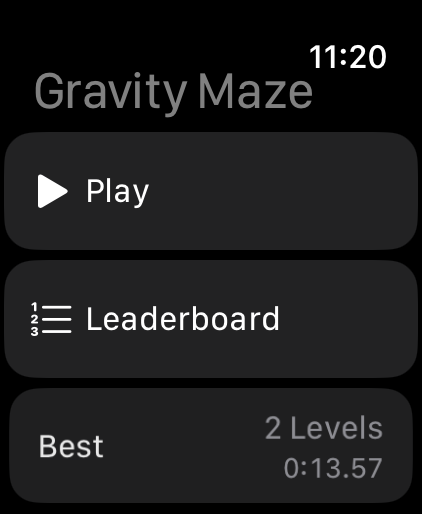
At the starting line
The menu keeps your deepest run and its total time in view.
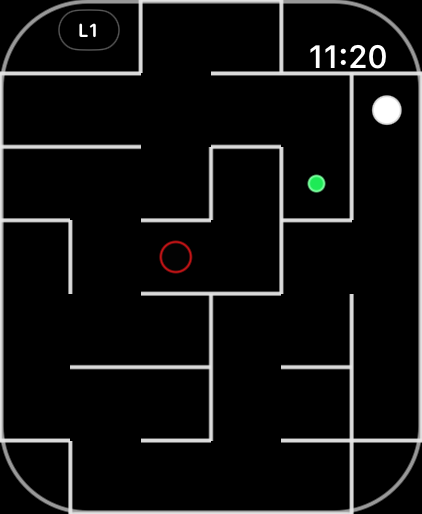
The first maze
The red ring marks a hole. Ease off the tilt before a corner to give the marble room to turn.
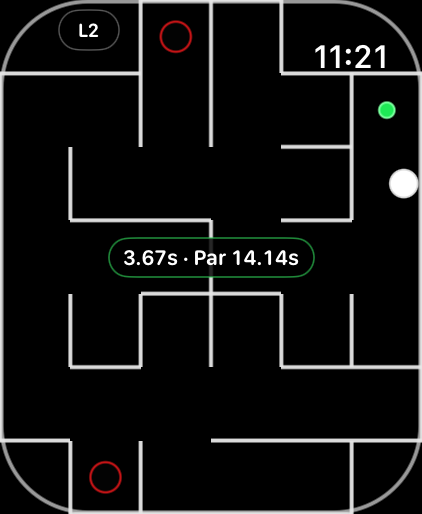
Across the finish
The clock stops as soon as the marble touches green. Your time appears beside the par for the maze you just cleared.
How far can you roll?
Hold your wrist still for a moment to set a comfortable starting angle. A gentle tilt gets the marble moving, and a light tap on the wrist tells you when it hits a wall.
Earn a spare life
Clear five levels to earn an extra life. You can carry one at a time. If you fall into a hole with a life in reserve, you get another try at the same maze. Time spent on both attempts counts.
Read the later mazes
The marble picks up speed as you advance. From level 20, holes can sit at the mouths of side passages along the main route. The generator checks that there is still room to roll past.
Depth comes first
The player who clears more levels ranks higher. At the same depth, the faster run relative to each maze’s par wins. Tap the level badge to pause and check the leaderboard.
Built for Apple Watch
Play on your wrist
Gravity Maze runs directly on Apple Watch with watchOS 26.5 or later. The maze follows the rounded display and leaves space for the system clock.
Keep a local best
Your best run stays on the watch, including when you play offline. Signing in to Game Center lets the game submit your best to the leaderboard.
On-device motion
The watch processes tilt while you play. The game does not store motion samples or include advertising, analytics or tracking.